 Exposure Radar
Readiness
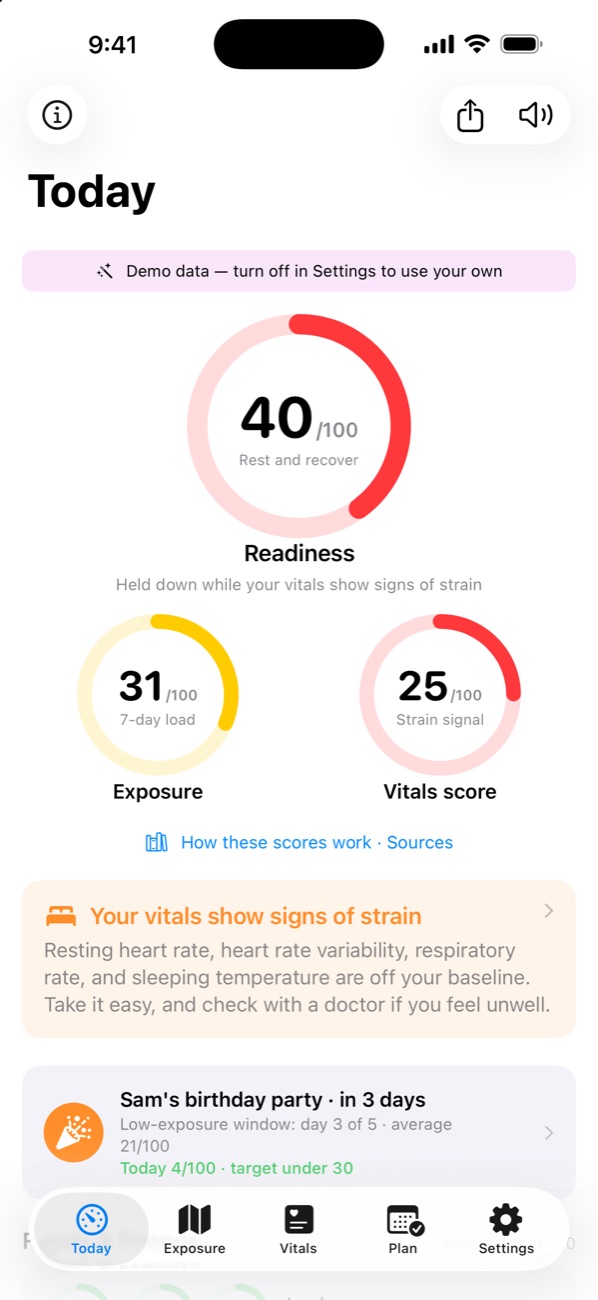
How ready you are today
Blends your vitals score (60%) with how light your exposure has been over the past week (40%). One number to check each morning.
- 75–100Ready
- 60–74Mostly ready
- 45–59Take it easy
- 0–44Rest and recover
Exposure Radar for iPhone
Exposure Radar estimates your exposure from the places you go, how crowded they are and what CDC wastewater data shows is spreading: COVID-19, flu, RSV and measles. It compares your Apple Health vitals with your own baseline. Then it helps you plan for the events you want to be well for.
Free. Sharing your scores with family and friends is $4.99 a year, after a free first week.
66ReadinessMostly ready
52
Exposure7-day, high
78
Vitals scoreAt baseline
Launch video
Three scores
They share one color scale, from green to red, and none of them is a black box. See exactly how each one is calculated.
How ready you are today
Blends your vitals score (60%) with how light your exposure has been over the past week (40%). One number to check each morning.
How much you’re exposed to
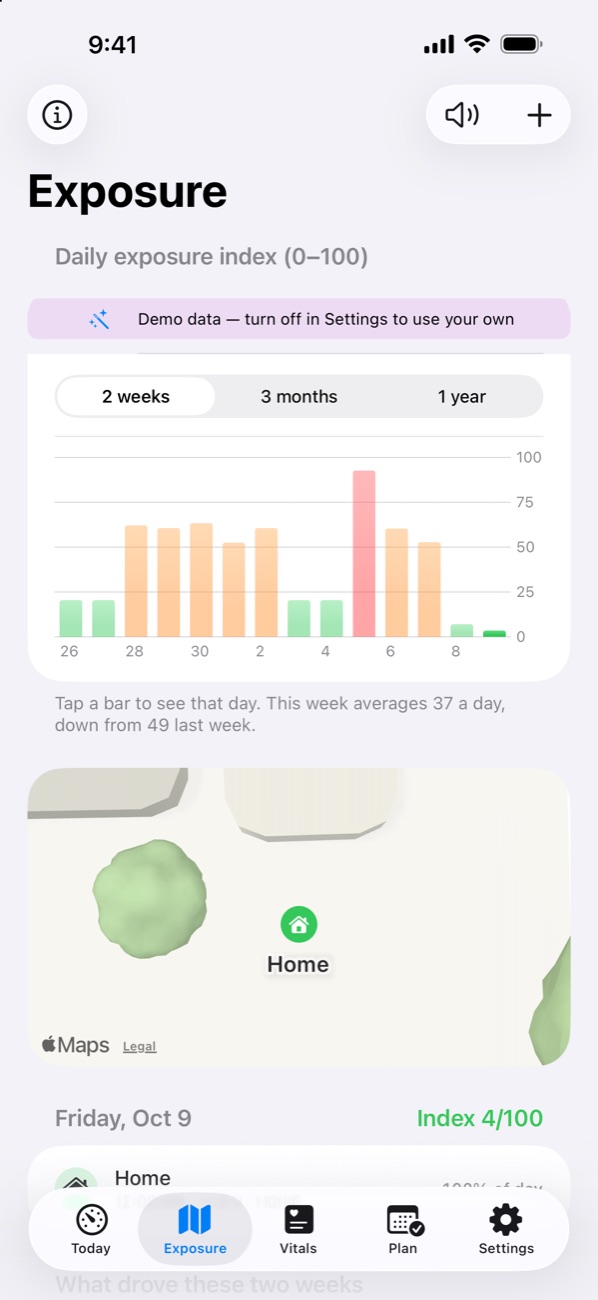
Each day gets an exposure index from where you spent time, what kind of place it was, how crowded it was, what CDC wastewater data shows spreading locally (COVID-19, flu, RSV and measles) and how dry the air was. Your 7-day exposure weights recent days most.
Community spread uses U.S. CDC data. Outside the U.S., that factor is neutral.
How your body is doing, compared with your usual
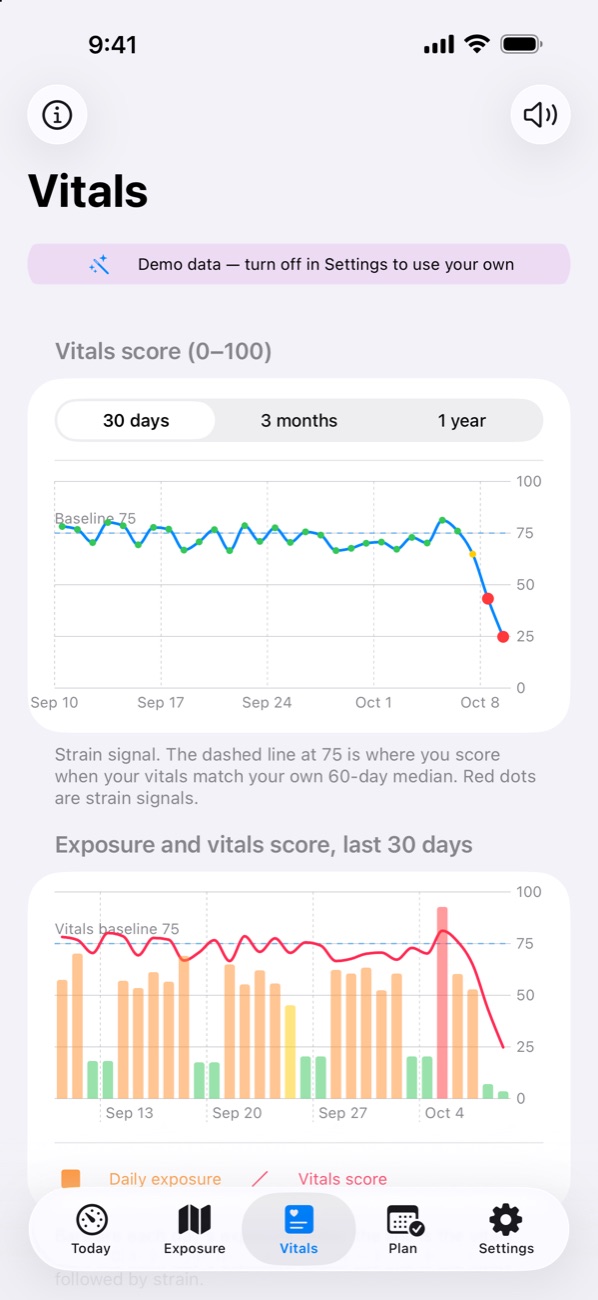
Compares seven Apple Health signals, such as resting heart rate, heart rate variability and sleeping wrist temperature, with your own baseline. 75 means you’re at your usual. If several core signals shift at once, you get a strain signal.
See it in action
 Today
 Exposure
 Vitals
 Plan
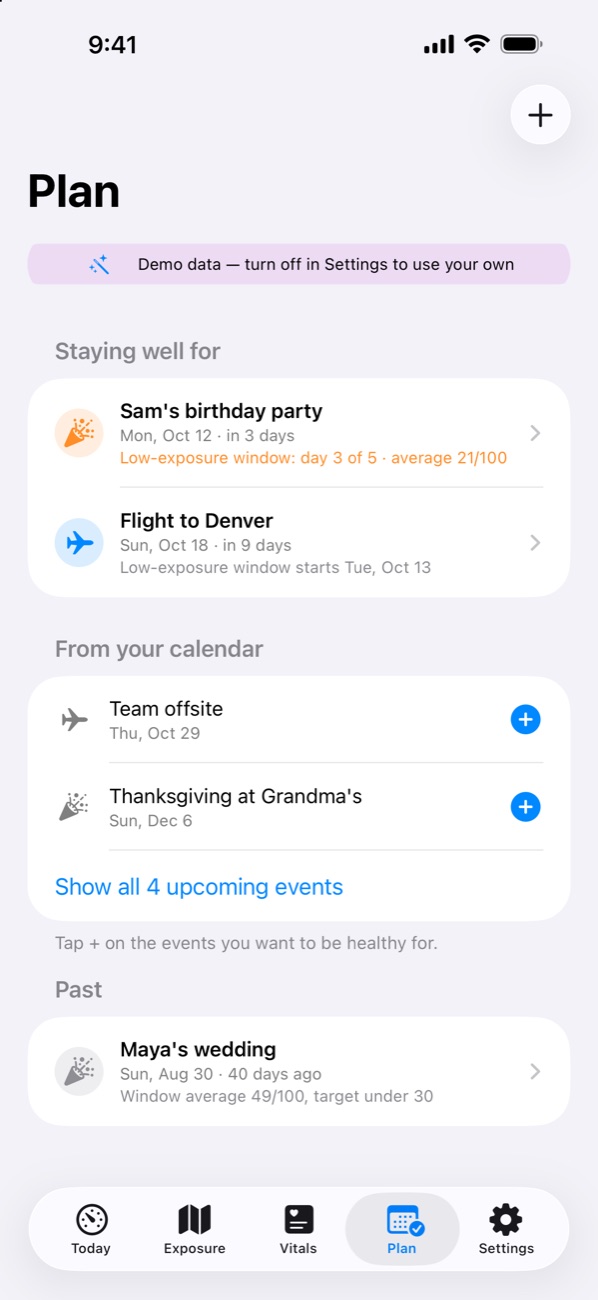
Plan ahead
Pick the trips and gatherings on your calendar that you don’t want to miss. For each one, the app sets a low-exposure window before it: 5 days by default, or anywhere from 2 to 21. The goal is to keep each day’s exposure index under 30.
Low-exposure window
Sample: daily exposure index before Sam’s birthday party
Also in the app
Everything here is free.
A watch app with your readiness, the scores behind it, today’s measures, the stay in progress with a mask switch, your next event and the people sharing with you, plus complications for your watch face.
Home Screen and Lock Screen widgets show your 7-day exposure and vitals score, and the medium size adds your next planned event.
Say “Exposure Radar status” to hear your readiness, vitals and next event. Today has a Read aloud button too.
A morning readiness note, strain signals, wastewater rises where you are or live, days over an event target, and a heads-up when someone sharing with you is run down.
On Sunday evenings, “Your week”: this week against last and what drove it. Opening a strain signal shows which vitals were off and lets you tag what was going on, from a short night to a vaccine. Tags stay on your iPhone.
Export my data saves your places, events, tags and notifications as a file. Export daily scores saves a CSV with one line per day.
Family & Friends
Share your daily scores with the people you choose, so they can tell when you’re run down. If they share with you, you can see how they’re doing too. Seeing someone’s scores is free; sharing your own is the app’s one paid feature, $4.99 a year for up to 8 people.
End-to-end encrypted. Your iPhone encrypts what you share before it’s sent. The key is only in your invite link, so the relay that passes your scores along can’t read them, and neither can the developer. Up to 8 phones with the link can see your scores, so send it only to people you choose. You can stop sharing at any time, and old links stop working.
Your data
The short version. The policies below have every detail.
There’s no sign-up and nothing to log in to.
The app has no ads and no third-party code. From version 1.5, its analytics are off unless you turn them on in Settings. Nothing is sold.
Your places, the Health data the app reads, the events you plan and your scores are kept in the app’s private storage on your iPhone.
Place coordinates go to Apple Maps to find the type of place. A location rounded to about 1 km goes to Apple Weather for weather and to the FCC for the county (or to the U.S. Census Bureau’s geocoder when the FCC is unavailable). A county or state code goes to the CDC for wastewater and emergency-visit data.
If you use Family & Friends, your scores are encrypted on your iPhone. The developer’s relay stores only data it can’t read.
Settings → Delete all data clears the app’s data from your iPhone and deletes anything you’ve shared from the relay.
Pricing
$4.99 / year
for Family & Friends sharing, after a 1-week free trial
Exposure Radar gives estimates for personal awareness. It doesn’t diagnose, treat or prevent any illness, and it can’t tell you whether you’ve caught something. A strain signal doesn’t name a cause, and a low exposure score doesn’t mean you won’t get sick. If you feel unwell, talk to a clinician. In an emergency, call 911.